Best AI Video Tools for Realtors and Real Estate Agents in 2025
You just spent three hours editing a listing video. Meanwhile, your competitor uploaded five polished property tours to Instagram before lunch. The math does not work in your favor anymore.
Here is the reality: 73% of homeowners prefer agents who use video to market their home, yet only about 9% of agents consistently create listing videos. This gap represents both a challenge and an opportunity. The agents who figure out video production will win more listings and close faster. The rest will keep wondering why their competitors seem everywhere at once.
AI video tools have changed what is possible for real estate professionals. What once required expensive equipment, professional videographers, and days of editing can now happen in minutes from your phone’s photo gallery. This guide covers the best AI video tools for realtors in 2025, with practical recommendations based on your budget, tech comfort level, and specific use case. We will also address the questions most comparison articles ignore, from MLS compliance concerns to honest assessments of what these tools actually produce.
Why Should Real Estate Agents Care About AI Video Right Now?
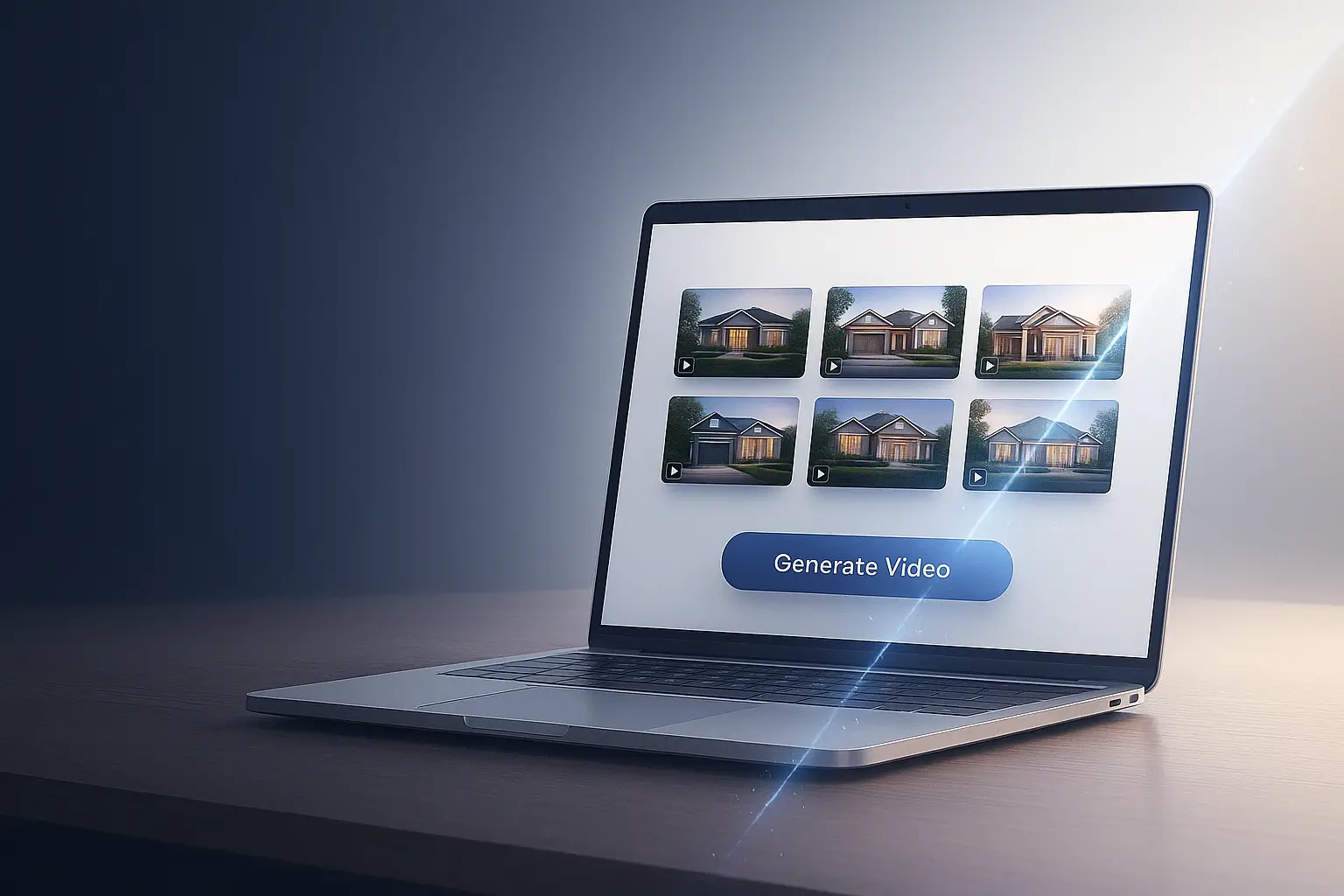
See how a full listing video — from photos to final cut — can be done in under 10 minutes with AI tools.”
AI video tools address the core problem facing every agent: you need more content than you have time to create. Traditional video production costs between $1,200 and $1,500 per minute for simple corporate videos, with complex projects exceeding $15,000 per minute (Vidpros, November 2025). AI tools typically cost $20 to $89 per month for unlimited or near-unlimited video creation.
The time savings matter even more than the cost savings. Research shows AI tools can reduce production timelines from weeks to hours. One industry analysis found that marketing videos that previously took 13 days on average now take about 5 days with AI assistance, representing a 62% reduction in production time (Paracast, January 2025). For agents juggling showings, client calls, and paperwork, reclaiming those hours each week translates directly into more deals closed.
The engagement numbers support the investment. Listings with professional video receive significantly more inquiries than those without. One analysis from the Australian Real Estate Group found that listings with video receive 403% more inquiries than video-less counterparts (PhotoUp, April 2025). Ads with video generate roughly four times more interest according to multiple industry sources.
Beyond listings, video builds agent authority. Market update videos position you as a local expert. Educational content attracts leads who are months away from buying or selling. Personalized video messages stand out in crowded inboxes. AI tools make all of these video types feasible for agents who previously lacked the time or budget to produce them.
Key Takeaway: AI video tools cut production costs by 70-90% and reduce creation time from days to minutes, making consistent video marketing financially viable for solo agents.
What Types of AI Video Tools Exist for Real Estate?
The market has split into two distinct categories, and understanding this split will save you from purchasing the wrong tool for your needs.
Photo-to-Video Tools (Property Showcase)
These tools transform your listing photos into video tours. You upload still images, and the AI adds motion effects, transitions, music, and sometimes narration. The output looks like a dynamic slideshow or virtual walkthrough. Examples include PhotoAIVideo, AutoReel, and Styldod. These work best for listing videos, social media content, and email marketing where you want to showcase properties quickly.
The technology behind these tools varies significantly. Basic versions apply pan-and-zoom effects similar to what you could do manually. More advanced tools use AI motion generation to create the illusion of camera movement through spaces. The best options use neural network processing to add realistic depth and parallax effects that make static images feel three-dimensional.
Avatar-Based Tools (Talking Head Videos)
These tools create videos featuring AI-generated presenters who speak your script. You type what you want said, select an avatar (or create one that looks like you), and the AI generates a video of that avatar delivering your message. Examples include HeyGen, Synthesia, and Elai.io. These excel at market update videos, educational content, agent introductions, and personalized outreach at scale.
Avatar tools now support features like variable video generation. You can record one base video and have the AI change the lip-sync to say different names for hundreds of leads automatically. This enables personalization at scale that would be impossible with traditional video production.
All-in-One Editing Platforms
Some platforms combine multiple AI capabilities. Tools like VEED.IO, InVideo, and Descript offer AI-powered editing, automatic captions, voice generation, and template libraries. These suit agents who want flexibility across different video types but may require more learning time than specialized tools.
Key Takeaway: Choose photo-to-video tools for property listings and avatar-based tools for agent branding and educational content. Match the tool category to your primary use case.
Which AI Video Tools Work Best for Real Estate Agents?
After reviewing the current landscape and practitioner feedback, here are the tools worth your attention, organized by category and budget.
Best for Property Listing Videos
Side-by-side example: AutoReel vs VideoTour.ai — same photos, two different AI outputs. See which one delivers better motion, transitions, and overall video quality.
PhotoAIVideo stands out for real estate-specific features. It pulls listing photos directly from Realtor.com or Zillow, generates natural-sounding narrations, and includes templates designed for property marketing. The platform offers batch processing for agents handling multiple listings. Pricing starts with a free trial and scales based on usage. The CloudPano ecosystem integration makes it particularly useful for agents already using virtual tour tools.
AutoReel transforms photos into video walkthroughs with AI-generated drone flyover effects. Users report it takes about five minutes to produce a finished video. The tool includes customization options for captions, music, and branding. It integrates well with existing real estate workflows and produces what many practitioners describe as “truly incredible” drone-style footage from static images.
Styldod offers a free video maker alongside its virtual staging services. The platform creates 30-second property reels from uploaded photos in under two minutes. It works well for agents already using Styldod for virtual staging who want to add video capability without learning a new system.
Nodalview provides a “One-Click Video” feature that generates property videos from five or more photos. The platform handles AI-generated descriptions, music, transitions, and branding automatically. Export options include vertical format for social networks and horizontal format for property portals.
Best for Agent Branding and Market Updates
HeyGen ranks as G2’s top AI video generator for 2025 with a 4.8/5 rating. The platform creates professional videos with AI avatars, offers real estate-specific templates for market updates, and supports 175+ languages. Agents can create custom avatars that resemble themselves. The free plan includes basic features with watermarks; paid plans remove watermarks and unlock advanced capabilities. User reviews highlight that pronunciation issues with non-English words sometimes require manual correction.
Synthesia provides similar avatar-based video creation with strong multilingual support (140+ languages). The platform is widely used for training videos and corporate communications. Plans start at $29 monthly for 10 minutes of video content, making it cost-effective for agents who create regular market update content. The Creator Plan at $89 monthly brings per-minute costs down to about $2.13 when fully utilized.
Best for Social Media Short-Form Content
VEED.IO excels at creating platform-optimized content with AI tools including auto-subtitles, voice generation, and text-to-video capabilities. The browser-based platform requires no software downloads. It handles aspect ratio conversions for different social platforms automatically. The AI video generator and add-text-to-video features make content creation faster and more engaging.
Pictory turns long-form content into short clips automatically. Agents can repurpose listing walkthroughs or educational videos into Instagram Reels and TikTok content. The Standard Plan costs $23 monthly and supports up to 30 videos. The AI summarization feature helps identify key moments worth highlighting.
Key Takeaway: PhotoAIVideo and AutoReel lead for property listings; HeyGen and Synthesia dominate for avatar-based agent content; VEED.IO and Pictory optimize for social media distribution.
How Much Should You Budget for AI Video Tools?
Budget requirements vary significantly based on your volume needs and quality expectations. Here is what realistic spending looks like at different levels.
Under $50 Per Month (Solo Agent Starter Stack)
At this level, focus on one primary tool rather than spreading thin across multiple platforms. A photo-to-video tool like Styldod’s free video maker combined with a basic Pictory subscription ($23/month) handles most listing and social content needs. Expect some limitations on export quality, watermarks on free tiers, and restricted monthly video counts. This range works well for agents selling fewer than 15 homes per year who need basic video capability.
$50 to $150 Per Month (Growth-Focused Agent)
This range unlocks professional-quality output without watermarks. A combination of PhotoAIVideo or AutoReel for listings plus HeyGen Creator plan for agent branding covers most use cases. You gain access to better AI voices, more avatar options, and batch processing for efficiency. This investment makes sense for agents handling 20 or more transactions annually who want video as a consistent marketing differentiator.
$150+ Per Month (Team or Brokerage Level)
Teams benefit from platforms with collaboration features, brand asset management, and higher volume limits. HeyGen’s Team plan or enterprise tiers from Synthesia provide multi-seat access, API integration for custom workflows, and dedicated support. At this level, you can also consider adding specialized tools for different content types rather than relying on one platform to do everything.
Key Takeaway: Start with one tool under $50 per month to learn workflows before expanding. Most solo agents find the $50-$100 range delivers professional results without overspending.
What Are the Honest Limitations of AI Video Tools?
Marketing materials promise one-click viral videos. Reality looks different. Here is what practitioners actually report after using these tools.
The “Uncanny Valley” Problem with Avatars
AI avatars have improved significantly but still trigger something that feels slightly off for many viewers. Agents report that avatar videos work well for market updates and educational content where information matters most. For personal connection moments like listing presentations to sellers, a genuine selfie video often outperforms a polished AI avatar. The authenticity of an imperfect real video sometimes beats the perfection of synthetic content.
Pronunciation Challenges
A frequent complaint involves AI mispronouncing local street names, neighborhoods, and regional terms. “Worcester” becomes a phonetic disaster unless you spell it “Wooster” in your script. Plan for extra time testing and correcting pronunciations for your market area. Some tools offer phonetic spelling workarounds, but this adds friction to your workflow.
Photo-to-Video Quality Reality
Many “photo-to-video” tools essentially apply Ken Burns effects (pan and zoom) to static images. For standard listings, this works fine. For luxury properties where buyers expect cinematic quality, the output may feel insufficient. More advanced tools using AI motion generation produce better results but at higher cost and longer processing times.
The Free Tier Trap
Most “free” versions include prominent watermarks that make them unusable for professional purposes. Treat free tiers as test drives, not permanent solutions. Budget for paid plans from the start if you plan to use these tools seriously.
Key Takeaway: AI video tools work well within their limitations. Know what each tool does best and use authentic video for high-stakes personal connection moments.
How Do You Build a Simple AI Video Workflow?
Repurpose one listing video into multiple short-form clips (Reels, TikToks, Stories) in under 10 minutes — ideal for consistent social presenc
The goal is a repeatable process that requires minimal decision-making each time. Here is a practical workflow that works for most agents.
Listing Video Workflow (15 Minutes Total)
- Upload your listing photos to your chosen photo-to-video tool (PhotoAIVideo, AutoReel, or similar).
- Select a template that matches the property style (modern, traditional, luxury).
- Add property details: address, price, key features. Let AI generate the narration or use music only.
- Insert your branding elements (logo, contact info, call to action).
- Export in multiple formats: vertical for Instagram/TikTok, horizontal for YouTube/MLS.
Market Update Workflow (20 Minutes Total)
- Write a script covering your key market data points (2-3 minutes of content).
- Upload script to your avatar tool (HeyGen, Synthesia).
- Select your avatar and voice settings.
- Add supporting visuals (charts, graphs, property images) to relevant sections.
- Generate, review for pronunciation issues, and export.
Key Takeaway: Standardize your workflows with templates and presets. The goal is consistency and speed, not reinventing the process each time.
What Legal and Compliance Issues Should You Consider?
AI video tools create new questions that the industry is still working through. Here are the main areas to consider.
MLS Compliance
Some MLS boards prohibit “virtual” or “digitally altered” media that misrepresents properties. Before uploading AI-generated content to your MLS, check your local board’s policies. This is especially relevant for virtual staging shown within video tours. Clear disclosure often resolves compliance concerns, but rules vary by market.
Virtual Staging Ethics
“Day-to-dusk” AI tools that change sky conditions or weather face growing scrutiny. If a home never actually looks like the video portrays, buyers may view this as deceptive. Best practice: use AI enhancement to show realistic potential, not fantasy scenarios. When in doubt, disclose what modifications were made.
Avatar and Voice Cloning Disclosure
When using AI avatars or voice clones, consider whether viewers should know they are watching AI-generated content. For educational market updates, this may matter less. For personalized client communications that feel one-to-one, transparency builds trust. No universal regulations exist yet, but the direction of disclosure requirements is clear.
Key Takeaway: Check your MLS policies before uploading AI-generated content. When in doubt, disclose AI use and avoid alterations that misrepresent actual property conditions.
Frequently Asked Questions
How do I stop the AI voice from sounding robotic?
Most AI voice quality issues come from script structure, not the tool itself. Write in conversational language with shorter sentences. Add natural pauses using commas and periods. Many platforms allow you to adjust pacing and emphasis. If the default voices sound too synthetic, look for tools that offer “premium” or “ultra-realistic” voice options, typically available on paid tiers.
Can I clone my own voice instead of using stock AI voices?
Yes. HeyGen, Synthesia, and several other platforms offer voice cloning features. You typically record 1-5 minutes of sample audio in a quiet environment, and the AI creates a synthetic version of your voice. Quality varies, so test before committing to video production. Voice cloning usually requires paid plans.
Are AI-generated listing videos allowed on my MLS?
Policies vary by MLS board. Most allow AI-enhanced videos but may have restrictions on virtual staging that alters property appearance. Contact your local MLS or check their media guidelines. When uncertain, include a disclosure stating the video contains AI-generated elements or virtual staging.
What is the liability if AI staging hides a property defect?
This remains a gray area legally. If virtual staging in a video obscures a defect (like a rug covering floor damage), you could face disclosure violation claims. The safest approach: never use AI staging to hide known defects, and always provide unedited photos alongside enhanced content. Document that clients have seen accurate representations.
How do AI avatar videos compare to selfie videos for conversion rates?
No controlled studies exist comparing conversion rates directly. Practitioner feedback suggests authentic selfie videos often outperform polished AI avatars for trust-building moments like initial client outreach. However, AI avatars work well for scaled content like market updates where information delivery matters more than personal connection.
How do I fix the warping effect when AI turns 2D photos into 3D walkthroughs?
Warping occurs when AI tools lack sufficient depth information from flat images. Use photos taken from corner angles rather than straight-on shots. Multiple overlapping photos of the same space improve results. Some tools like Luma AI use neural radiance field (NeRF) technology that handles depth better, though processing takes longer.
Will AI video tools work for a solo agent selling fewer than 10 homes per year?
Yes, with realistic expectations. At low volume, the learning curve investment matters more than monthly subscription costs. Focus on one tool you can master rather than jumping between platforms. The time saved on 10 listings still adds up, and video differentiation may help you grow beyond that volume.
How do I brief a virtual assistant to handle AI video creation for me?
Create documented workflows with screenshots for each step. Provide templates for scripts and branding elements. Set up tool accounts with appropriate permissions. Start with listing videos (most templated) before progressing to avatar-based content that requires more judgment. Review the first five to ten videos closely before granting full autonomy.
Can I repurpose one AI-generated video into content for multiple platforms?
Absolutely, and this is where AI tools shine. Most platforms export in multiple aspect ratios (vertical, horizontal, square). You can also use tools like Pictory to automatically extract highlight clips from longer videos. One 2-minute listing tour can become a 60-second Instagram Reel, a 15-second TikTok teaser, and a full YouTube video with minimal additional effort.
What are the most common mistakes agents make with AI video tools?
The biggest mistakes include using too much text overlay (viewers skip videos that look like slideshows), choosing generic templates that look identical to competitor content, failing to test pronunciation before publishing, and relying entirely on AI without any authentic video content in their marketing mix. Another common error is switching tools frequently rather than mastering one platform.
Conclusion
AI video tools have moved from experimental to essential for real estate agents who want to compete effectively. The technology is not perfect, but it is good enough to transform your content output while dramatically reducing costs and time investment.
Three things to remember:
- Match your tool to your primary use case. Photo-to-video for listings, avatar-based for agent branding.
- Start with one tool under $50 per month and master it before expanding your stack.
- Combine AI efficiency with authentic video for trust-building moments.
Your next step: Pick one tool from this guide and create your first AI-generated listing video this week. Start with a property you are currently marketing. Time yourself from photo upload to finished video. That baseline will show you exactly how much time AI video tools can give back to your business.